_edited.png)


Automated Messaging for Vacation Rentals That Sounds Human

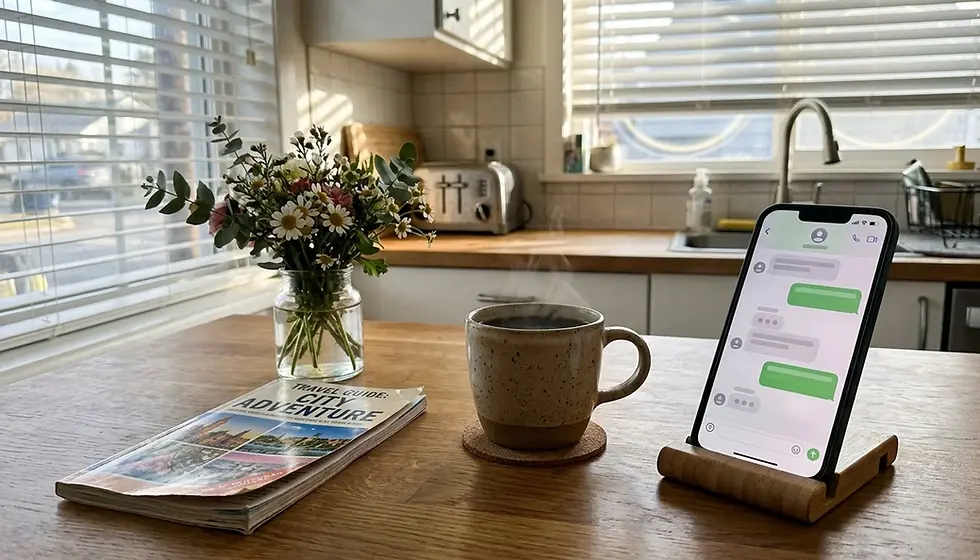
Automated messaging for vacation rental properties is a system that sends pre-written guest communications automatically at set points in the booking timeline, triggered by events like reservation confirmation, check-in, and checkout, rather than requiring a host to type each reply by hand. At West Coast Homestays, we manage guest communication across 80-plus coastal properties in San Diego, and the biggest misconception owners bring us is that automation and personal service are opposites. They are not. Done right, automated messaging is the only way to sound consistently present without being awake at 2 a.m.
Automated messaging for vacation rental hosts uses trigger-based systems (booking confirmed, arrival, departure) to send timed guest communications without manual typing.
Industry guides from GuestIntro and Guesty recommend a baseline sequence of seven to nine automated messages covering the full guest journey, from inquiry through post-stay follow-up.
GuestIntro reports that a well-built nine-message sequence can reclaim roughly 70% of a host's messaging time, according to the company's published guide on automating guest communication.
Platforms including Guesty, Hosthub, Lodgify, OwnerRez, Hospitable, and Hostfully all offer trigger-and-template automation, with setup typically taking about five minutes per message type.
The mid-stay check-in message, sent the morning after arrival, is credited by GuestIntro with generating more 5-star reviews than any other single automation because it surfaces problems while there's still time to fix them.
The San Diego property management market rewards hosts who automate the routine 70% of guest questions and reserve human attention for the 30% that actually needs judgment.
If you are self-managing a short-term rental in Pacific Beach, Carlsbad, or anywhere along San Diego's coast in 2026, you already know the messaging burden never really stops. Guests ask about parking at 6 a.m. Someone wants an early check-in the night before arrival. A mid-stay Wi-Fi complaint lands while you're at dinner. Automated messaging for vacation rental communication exists precisely to absorb that volume without making guests feel like they're talking to a machine.
This article is not a generic list of "messages to send." It's a practitioner's breakdown of how the sequence actually works, which platforms handle it well, and, more importantly, how to keep the tone human when nine-tenths of your replies are pre-written. We'll also cover the parts most guides skip entirely: what to do when a guest calls out an automated reply as robotic, how to run different message "voices" across a portfolio of unlike properties, and where automation should stop and a real person should step in.
What Is Automated Messaging for a Vacation Rental?
Automated messaging for a vacation rental is a trigger-based communication system that sends pre-written messages to guests at specific points in their stay, such as booking confirmation, pre-arrival, check-in day, mid-stay, and checkout. According to AirROI's glossary definition of automated messaging, the underlying pattern is trigger, then template, then send, with dynamic placeholders like guest name, Wi-Fi password, and lock code populated automatically from the booking data.
Specifically, the system watches for an event, such as a reservation being confirmed on Airbnb or VRBO, and fires a pre-approved message within seconds or minutes. As a result, hosts no longer need to remember to send a check-in code at 4 p.m. or a checkout reminder the night before departure. Additionally, most platforms let you layer conditional logic on top, so a same-day booking skips the three-day pre-arrival message it would otherwise never receive in time.
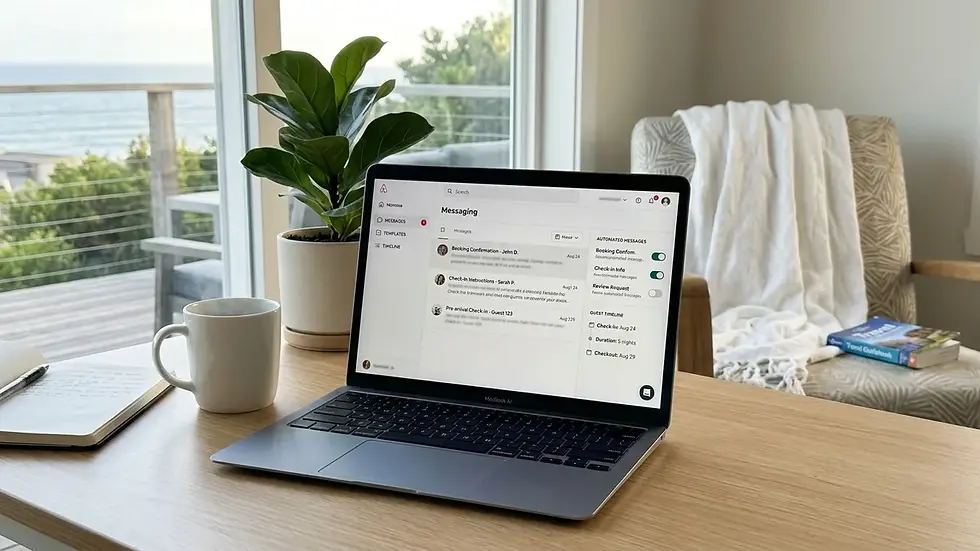
Airbnb itself has built AI-powered auto-replies into its Messages tab, pulling answers from your listing description, amenities, and house manual to answer common guest questions before you ever see the thread. The reply is labeled as coming from Airbnb, and you can review or delete it, which matters if your listing details are outdated. Automated messaging for vacation rental hosts, in other words, now happens at both the platform level and the property-management-system level simultaneously.
Which Messages Should Actually Be Automated?
The core guest journey for a short-term rental breaks into seven to nine distinct touchpoints, and each one should be automated with a specific trigger and timing window. GuestIntro's published sequence, one of the more detailed baselines in the industry, recommends: inquiry auto-response, booking confirmation, an onboarding link, pre-arrival information, check-in day instructions, a mid-stay check-in, a checkout reminder, a review request, and a direct-booking follow-up.
First, the inquiry auto-response fires within about a minute of a guest's question, before they've even considered booking a competitor's listing. Second, booking confirmation goes out immediately once a reservation is made. Third, an onboarding link follows roughly an hour later with house rules and basic property details.
Then, three days before arrival, the pre-arrival message covers directions, parking, and nearby grocery stores, per GuestIntro's timing guidance. On the morning of check-in, guests receive door codes, lockbox photos, and a direct contact line. The morning after arrival, a mid-stay check-in message asks how things are going, which is the single automation GuestIntro credits with generating the most 5-star reviews because it catches problems early. The night before checkout, a reminder covers checkout tasks like starting the dishwasher and leaving keys on the counter. Twenty-four hours after checkout, a review request goes out, and 30 days later, a direct-booking follow-up message can be sent.
Guesty's own guidance simplifies this into three non-negotiables for hosts just getting started: booking confirmation, check-in instructions sent 24 hours before arrival, and a checkout reminder paired with a review request. GuestIntro estimates that together, booking confirmations, check-in instructions, Wi-Fi details, house rules, and checkout reminders answer roughly 70% of all guest questions before a guest even has to ask. That's the real value of automated messaging for vacation rental operations: it isn't about replacing conversation, it's about eliminating the repetitive 70% so a human can focus on the 30% that actually requires judgment.
Sample Timing Table for the Core Sequence
Message | Trigger | Typical Timing |
Inquiry auto-response | Guest sends a question | Within 1 minute |
Booking confirmation | Reservation confirmed | Immediate |
Onboarding / house rules link | Reservation confirmed | 1 hour after booking |
Pre-arrival details | Countdown to check-in | 3 days before arrival |
Check-in instructions | Day of arrival | Morning of check-in |
Mid-stay check-in | Day after arrival | Morning after check-in |
Checkout reminder | Countdown to departure | Night before checkout |
Review request | Guest checks out | 24 hours after checkout |
Direct-booking follow-up | Post-stay window closes | 30 days after checkout |
How Do You Keep an Automated Reply From Sounding Robotic?
Making automated messaging for a vacation rental sound personal starts with writing the templates the way you'd actually talk to a guest, not the way a legal disclaimer reads. Specifically, that means using contractions, short sentences, and a name, not "Dear Guest," in every message a merge tag can fill.
Most platforms, including Hosthub, support dynamic variables such as the guest's name, the rental name, and check-in and check-out dates directly inside the message body, as noted in Hosthub's automated messaging feature documentation. Use every one of them. A message that opens "Hi Sarah, so glad you're staying at our Mission Beach cottage this weekend" reads completely differently than "Dear Guest, thank you for your reservation."
Beyond merge tags, write a short internal voice bible before you ever touch a template editor. Decide, on paper, whether your brand sounds breezy and casual (appropriate for a Pacific Beach surf cottage) or a little more polished (appropriate for a La Jolla clifftop rental). Then write every automated message in that voice, consistently, across the sequence. Guests notice when the pre-arrival email sounds like a corporate memo and the checkout reminder sounds like a text from a friend.
One tactic most guides skip: build a recurring detail or small story arc into your sequence. If your pre-arrival message mentions a specific overlook or a coffee shop, reference it again in the mid-stay message ("hope you found that overlook we mentioned"). It costs nothing extra to write, and it signals continuity rather than nine disconnected form letters. This kind of threaded detail is one of the clearest tells that separates a thoughtfully automated sequence from a copy-pasted one.
What Do You Do When a Guest Calls Out an Automated Message as Impersonal?
Recovering guest trust after a robotic-feeling automated message requires a quick, specific, human reply, not a defensive one. When a guest writes back "did I get a form letter?" the worst response is to double down on the template. The right move is to acknowledge it directly and add a genuinely specific detail about their stay.
A workable recovery script looks like this: "You're right, that one's a template we send everyone so nobody misses the door code. But I did want to say personally, since you mentioned it's your anniversary, we left an extra bottle of water in the fridge for you both. Let me know if you need anything else this week." That single message does three things: it's honest about the automation, it proves a human is actually watching the thread, and it adds one unscripted detail that couldn't have come from a merge tag.
This is exactly the kind of judgment call that shouldn't be automated. As a rule, any message that includes a complaint, a refund request, or an emotional comment from a guest should trigger a manual review, not an auto-reply. Most platforms let you flag keywords ("refund," "disappointed," "broken," "unsafe") that pull a thread out of the automated queue and into a human inbox. Set that filter up once and revisit it every few months as new phrasing patterns emerge.
Should You Run Different Message Voices Across Multiple Properties?
Multi-property hosts should absolutely run distinct message personas per property type, because a ski cabin, a city condo, and a family beach home attract different guests with different expectations. A single generic voice applied to all of them reads as impersonal precisely because it is.
For example, a surf-casual Pacific Beach cottage can support a looser, joke-friendly tone in its mid-stay check-in ("hope the waves cooperated today"). A more upscale La Jolla clifftop rental should keep language polished and understated, with fewer exclamation points and more precise logistical detail about valet parking or restaurant reservations on Prospect Street. An Encinitas property near the wellness and organic grocery scene downtown might reference nearby juice bars or the Coaster rail line in its pre-arrival note.
Practically, this means building separate template sets in your property management system, not applying one master sequence to every listing. If you're running two or three coastal properties in San Diego, budget an extra hour per property to rewrite the voice, not just swap out the address. It's a small time investment, but it's the difference between a guest feeling like they booked something specific versus something generic. From what we see across the West Coast Homestays portfolio, properties with tailored message voices consistently generate warmer guest replies and more thank-you notes in reviews than those running a single template across every listing.
Which Platforms Handle Automated Messaging Best?
Vacation rental automation platforms differ mainly in setup complexity, AI assistance, and how deeply they integrate with channel calendars. As of 2026, the most commonly referenced tools in this space include Guesty, Hosthub, Lodgify, OwnerRez, Hospitable, Hostfully, HostAway, and newer AI-layered tools like HostBuddy AI.
Platform | Best For | Notable Feature | Honest Limitation |
Guesty | Multi-property portfolios | Recommends 3 core automations to start, 24-48 hour pre-arrival trigger | Full automation library takes longer to configure well |
Hosthub | Hosts wanting simple rule-based flows | Dynamic variables for guest name, rental name, dates | Fewer AI-assisted drafting tools than newer entrants |
Hosts who want one inbox across channels | Unified inbox plus AI-assisted message drafting | AI drafting still needs a human read-through before sending | |
OwnerRez | Owners who want granular rule control | Deep conditional logic options | Steeper learning curve for non-technical hosts |
Hospitable | Hosts prioritizing guest-facing AI replies | AI auto-responses trained on listing details | Requires clean, complete listing content to work well |
Hostfully | Hosts who also want digital guidebooks | Guidebook integration alongside messaging | Messaging automation is secondary to its guidebook focus |
Notably, GuestIntro's complete guide to automating guest communication is worth reading directly if you want the exact wording templates behind the nine-message sequence referenced earlier in this article. Setup time across most of these tools runs about five minutes per message type, according to Guesty's own documentation, once you've selected a trigger, written the template, and applied any conditions.
How Do Smart Locks and Digital Guidebooks Fit Into the Automated Sequence?
Smart locks and digital guidebooks integrate directly with automated messaging systems to remove the single most common point of guest friction: getting into the property. Instead of a host manually texting a code at 3 p.m., the system generates a unique, time-limited code and inserts it automatically into the check-in day message using a placeholder like `{lock_code}`.
Specifically, this integration matters because check-in day is the highest-stakes message in the entire sequence. A guest standing outside a locked door with a dead phone battery does not care that your automation was well-designed in theory. As a result, the check-in message should always include a backup: a phone number, a photo of the actual lockbox or keypad, and simple written steps, not just a code.
Digital guidebooks, meanwhile, work well as a companion to the automated sequence rather than a replacement for it. Send the guidebook link inside your onboarding message, but don't assume guests will read it. The pre-arrival and check-in messages should still restate the two or three details guests actually need in the moment: door code, Wi-Fi password, and parking instructions. Redundancy here isn't wasteful, it's what prevents a 9 p.m. phone call.
How Should You Handle Time Zones and Message Consent?
Automated messaging for a vacation rental needs a time zone rule and a consent framework built in before you turn any sequence live, because sending a "good morning, checkout is at 11" text at 4 a.m. guest-local-time undoes any goodwill your automation built. Configure every timed message against the property's local time zone, not your own, especially if you're an out-of-state owner managing a San Diego property remotely.
For SMS specifically, include a brief opt-in line at first contact ("Reply STOP to opt out of text updates") and honor it immediately if a guest requests it. This is standard, low-friction language that most platforms let you insert as a fixed template line, and it protects you regardless of which state or country a guest is messaging from. Keep the same courtesy in email footers: a simple line noting that messages relate only to their current reservation reduces confusion and complaints alike.
None of this needs to be complicated. It just needs to be present, tested once at setup, and revisited any time you add a new channel like SMS on top of your existing Airbnb or VRBO messaging thread.
What Are the Real Benefits of Automated Messaging for Hosts?
The primary benefit of automated messaging for vacation rental hosts is reclaimed time, with GuestIntro estimating that a complete nine-message sequence can recover roughly 70% of the time a host would otherwise spend on manual guest communication. Beyond time savings, automation also improves consistency, since every guest receives the same critical information (door code, Wi-Fi, checkout tasks) without depending on a host remembering to send it during a busy week.
Consistency matters more than it sounds. A guest who gets a clear, timely checkout reminder is less likely to leave a dishwasher running or forget to lock the door, both of which affect turnover time and the next guest's experience. Additionally, faster response times, especially the near-instant inquiry auto-response, directly affect booking conversion, since guests comparing several listings tend to book the one that answers first.
At West Coast Homestays, our guest communication team layers automated sequences with hands-on review during mid-stay and post-checkout windows specifically because the data consistently shows that a fast, warm mid-stay check-in correlates with stronger review outcomes. Given that a documented pattern across our portfolio shows five-star reviews translating into meaningfully higher booking revenue, treating the mid-stay message as a scripted afterthought is one of the more expensive mistakes a self-managing host can make.
What Common Mistakes Should You Avoid When Automating Guest Messages?
The most common mistake hosts make with automated messaging for vacation rental communication is treating the entire guest journey as automatable, including the moments that require judgment. A refund dispute, a noise complaint, or a guest reporting something broken should never receive a scripted auto-reply. Route those to a human, every time.
Skipping the voice bible. Writing each message ad hoc, without a defined tone, produces inconsistent messaging that reads as corporate in one email and casual in the next.
Leaving default merge tags unfilled. A message that says "Hi [Guest Name]" because a variable failed to populate is worse than no automation at all.
Ignoring time zones. Sending a checkout reminder at 3 a.m. local guest time damages trust instantly.
No escalation filter. Without keyword-based flags for complaints or refund requests, sensitive messages slip through the automated queue unseen.
One voice for every property. Applying identical templates to a family home, a couples' retreat, and a group getaway ignores that each guest type expects different things.
Set-and-forget templates. Local details change. A restaurant closes, a parking rule shifts. Review and update templates at least quarterly.
If this list feels like a lot to manage alongside pricing, cleaning schedules, and maintenance coordination, that's a realistic assessment. It's exactly why professional Airbnb management exists as a category, and why guest communication is one of the services we handle directly for owners across San Diego, La Jolla, and Encinitas.
Automated Messaging vs. Manual Replies: A Side-by-Side Comparison
Factor | Fully Manual | Automated with Human Oversight |
Response time to inquiries | Minutes to hours, depending on host availability | Within about 1 minute, per GuestIntro's benchmark |
Consistency of check-in info | Depends on host remembering each time | Every guest gets identical, complete instructions |
Host time spent messaging | Full workload across every touchpoint | Roughly 70% reduced, per GuestIntro's estimate |
Handling of sensitive issues | Naturally handled by the host directly | Requires a keyword-based escalation filter to route correctly |
Risk of feeling impersonal | Low, if the host is attentive | Moderate, unless templates use merge tags and a defined voice |
Frequently Asked Questions
What is the difference between automated messaging and AI-assisted replies?
Automated messaging sends a fixed, pre-written template triggered by a specific event, like booking confirmation, with dynamic fields filled in automatically. AI-assisted replies, like the auto-replies Airbnb builds into its Messages tab, generate a response in real time by pulling from your listing description and house manual, rather than sending a fixed template you wrote in advance.
How many automated messages should a vacation rental send during a typical stay?
Most industry guides, including GuestIntro's published sequence, recommend seven to nine automated messages covering inquiry response, booking confirmation, onboarding, pre-arrival details, check-in instructions, a mid-stay check-in, a checkout reminder, and a review request, with an optional direct-booking follow-up afterward.
Can automated messages hurt my guest reviews if they feel robotic?
Yes, if templates are generic, missing merge tags, or sent at odd local hours, guests notice and reviews can reflect that impersonal experience. The fix is writing templates in a consistent, conversational voice, filling every dynamic field correctly, and routing anything involving a complaint or refund to a human rather than an automated reply.
Do I need a smart lock to use automated check-in messaging?
No, but a smart lock makes automated check-in messaging more reliable because it generates a unique, time-limited code the system can insert automatically. Without a smart lock, you can still automate the message, but you'll need to manually update or verify the access code before each new guest's check-in day.
Which platform is best for a host managing just one or two properties?
For a single property or a small portfolio, Hosthub or Lodgify tend to offer simpler setup with fewer configuration steps, while Guesty and OwnerRez suit hosts managing larger portfolios who need more granular conditional logic. Review each platform's trigger options directly since feature sets change frequently.
Should automated messaging replace hiring a property manager?
Automated messaging handles the repetitive 70% of guest questions well, but it does not replace the judgment needed for pricing strategy, maintenance coordination, or handling a guest complaint that needs a real apology and a real fix. Many owners in San Diego combine automation tools with professional management specifically to cover that remaining 30%.
How do I know if my automated messages are actually working?
Track your response time to inquiries, your review scores on the specific mentions of communication or check-in ease, and how often guests message back asking for information the automated sequence should have already covered. If the same question keeps coming up despite an automated message addressing it, the template needs a rewrite, not more automation.
Conclusion: Automation Handles the Repetition, You Handle the Relationship
Automated messaging for vacation rental hosts works best as infrastructure, not as a substitute for genuine hospitality. The seven to nine message baseline sequence covers the repetitive 70% of guest questions efficiently, while a defined voice, filled-in merge tags, and a clear escalation filter for sensitive issues keep the remaining 30% distinctly human. As of 2026, the tools to do this well, from Guesty to Hosthub to Lodgify, are mature and widely available; the differentiator now is how thoughtfully a host configures and writes them.
For owners managing a single Pacific Beach condo, building this system yourself is entirely doable with a weekend of setup time. For owners juggling multiple properties, or for anyone who's watched a good guest thread go sideways because a template answered the wrong question, professional guest communication management closes that gap. At West Coast Homestays, our team layers automated sequences with a hospitality-trained human reviewing mid-stay and post-checkout messages across every property we manage, because that's the layer that actually protects your review score.

If guest messages are the reason your San Diego rental feels like a second job, that's usually a sign the operation needs proper systems, not more of your own time. West Coast Homestays manages guest communication, pricing, and turnovers for 80-plus properties across San Diego's coastal neighborhoods, and we would be glad to walk through what professional management could mean for your specific property. Visit WestCoastHomestays.com to start the conversation.
Written by Mark Palmiere, Owner & CEO at West Coast Homestays
Content powered by inkSTR.co


Comments